


Master mode
This mode is designed for use by the Source Code Administrator. It allows manipulation of work and translation files, and also a number of special functions like merging work or translation files with the master database, or exporting of translation files and Surpac message files. You should have at least a master file to run the software in this mode.
To run the software in this mode, the following command line can be used:
JAVA -classpath JAR com.surpac.mlt.TranslationEditor -a
 [MASTER DATABASE DIR] [WORK DATABASE DIR] [TRANSLATION FILE]
|
If you do not specify any required paths and files, any operations requiring one of the missing files will be disabled until a valid path is entered in the Paths panel.
Example
The following command line starts the Translation Manager in All Options mode, using a specific installation of Java, the ssiclient.jar file from a development build of Surpac, a master database extracted from CVS, and a work database from a programmers work area:
C:\j2sdk1.4.2_05\bin\java.exe -classpath C:\work\v50\develop\share\java\ssiclient.jar
com.surpac.mlt.TranslationEditor -a C:\master\v50\src\include C:\work\mh20040325\src
|
Further technical information:
The master mode of the software looks like this (with all tabs present at top of window):
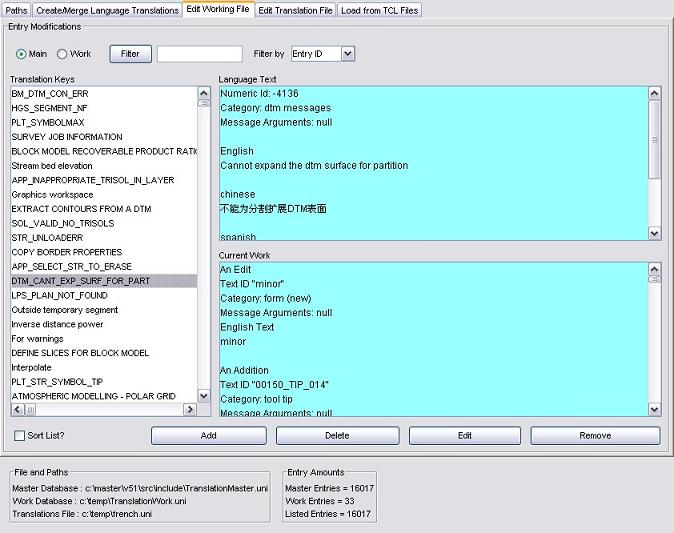
The master mode uses all five input frames. For more information on how to use the Translation Manager software, please see: