


Manipulate drillholes
Having set up the drillhole styles, you can now manipulate the display of the drillholes by:
- displaying cylinders
- displaying lithological codes on the right-hand side
- displaying assays on the left-hand side
- displaying colour-filled bar graphs of the gold assays on the left-hand side and offsetting them by 5m
 Note: All of the following tasks require that you are connected to the database
surpac_training.ddb.
Note: All of the following tasks require that you are connected to the database
surpac_training.ddb.
Task: Display cylinders
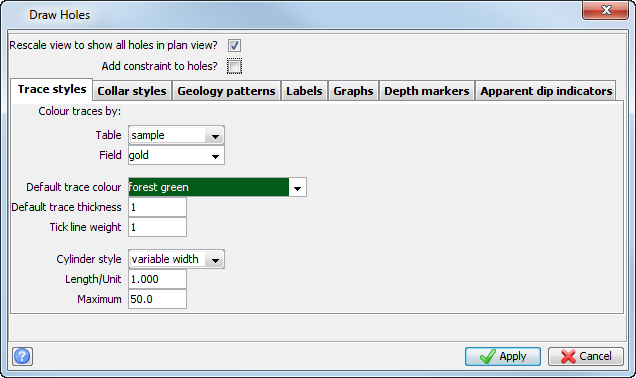
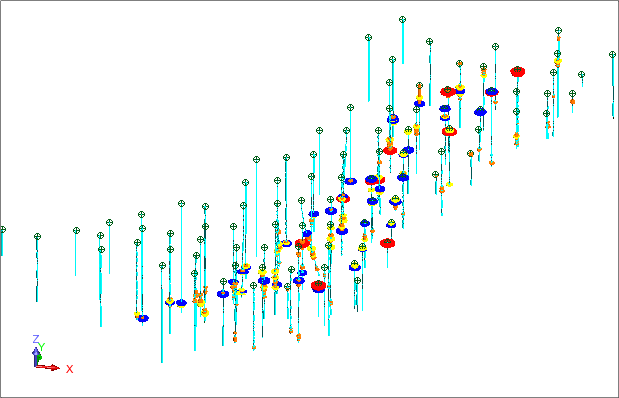
You can use display cylinders to view high grade areas. The colour of the cylinder is taken from the styles table, and its size is determined by the numeric value for that field.
- Choose Display > Drillholes.
- Select the Rescale view to display all holes in plan view check box, to allow Graphics to resize and display all data after you have applied the changed styles.
- Clear the Add constraint to holes check box, to display all data in Graphics.
- Enter the information as shown, and click Apply.
You can get a sense of how the orebody is trending by viewing and rotating the data in Graphics.
Note: To see all of the steps in this task, run 03b_display_cylinders.tcl. You need to click Apply on any forms presented.
Task: Display lithological codes on the right-hand side
- Choose Display > Drillholes.
- Enter the information as shown on each the Trace styles, Collar styles, and Labels tabs, and then click Apply.
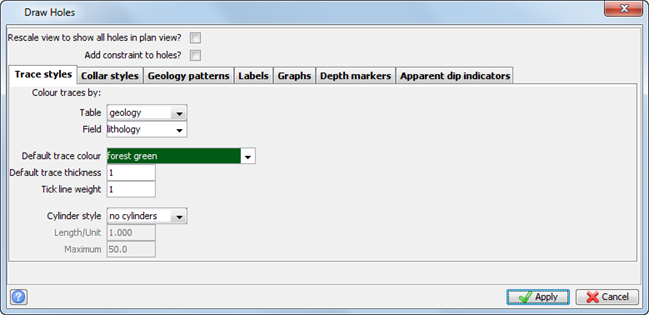
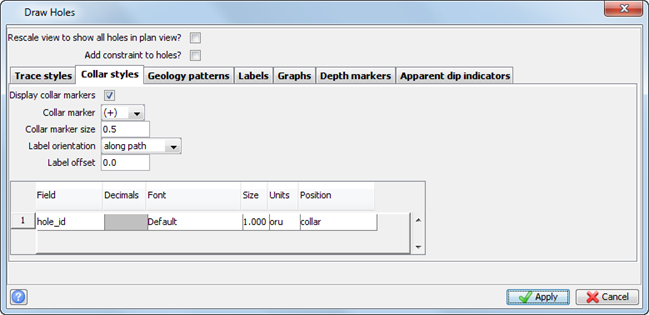
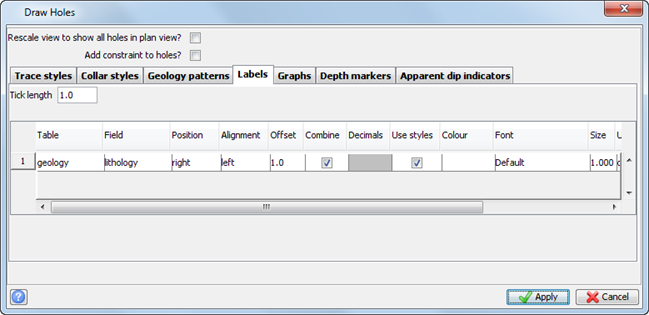
The results are displayed in Graphics.
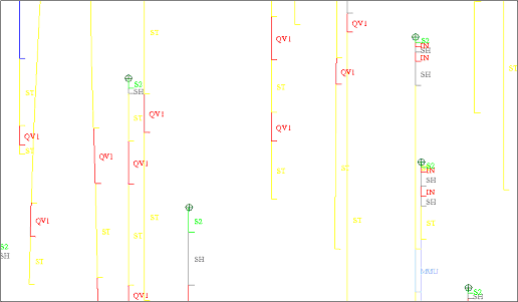
Task: Display assays on the left-hand side
- Choose Display > Drillholes.
- Enter the information as shown, and click Apply.
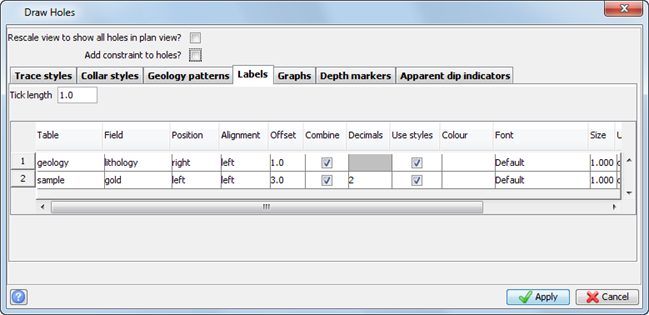
The results are displayed in Graphics.
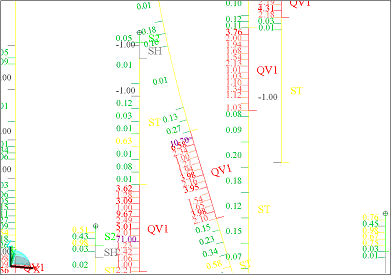
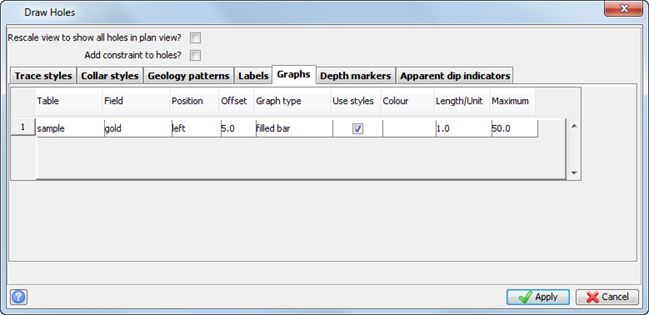
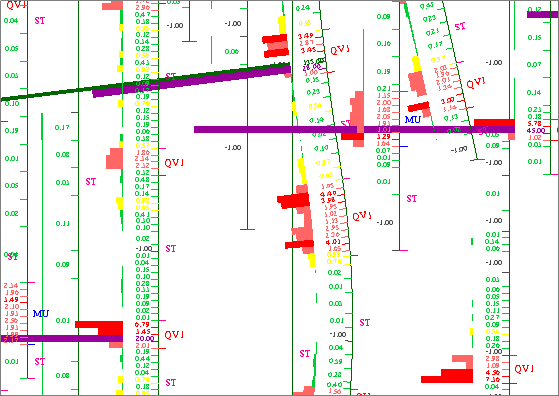
Task: Display colour-filled bar graphs of gold assays on the left-hand side
- Choose Display > Drillholes.
- Enter the information as shown, and click Apply.
- Zoom in to see the results.
Note: To see all the steps in this task, run macro
03c_display_drillholes_with_styles.tcl . You
need to click Apply on any forms presented.