


Reduction and dilution
Task: Calculate dilution and reduction
- Open blockmodel.mdl.
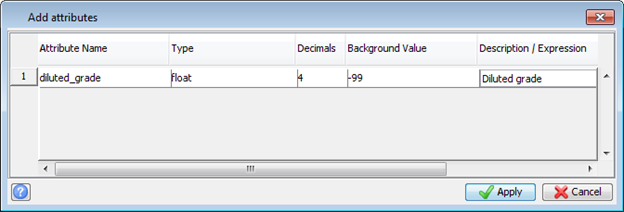
- Choose Attributes > New.
- Add an attribute called diluted_grade as shown:
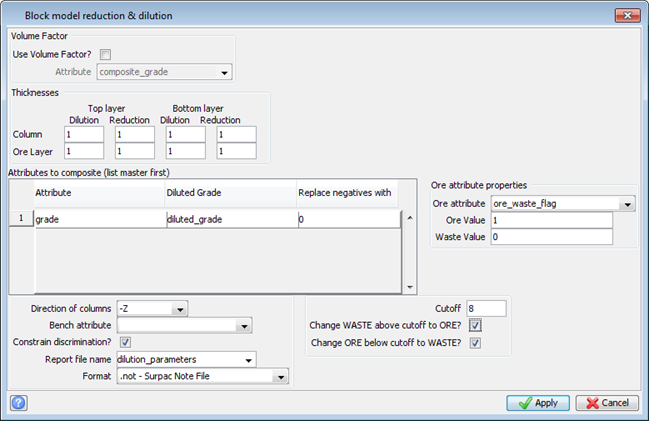
- Choose Column processing > Dilution and reduction.
- Enter the information as shown, and click Apply.
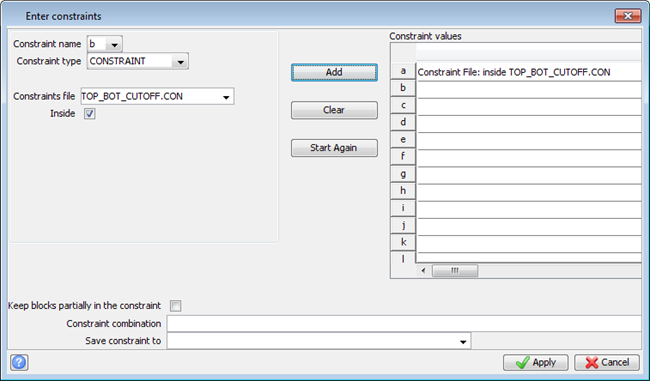
- Enter the information as shown, and click Apply.
- Click Yes.
- Choose Block model > Close.
The Verify creation of file form appears.
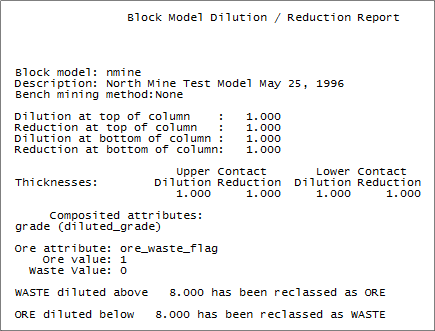
The report is displayed.
 Note: To see all of the steps performed in this task run
_12_dilution_and_reduction.tcl. You will need to click Apply on any forms presented.
Note: To see all of the steps performed in this task run
_12_dilution_and_reduction.tcl. You will need to click Apply on any forms presented.