


Task: Slice to a target tonnage
You can slice the stopes so that the stopes are as close as possible to a specific volume or tonnage. If you have a block model in the same location as the solid you are slicing, you can create a report that shows the tonnage and the mass of your resource in each stope.
- Click Reset Graphics.
- Open stopesAlt.dtm.
- Open ugdesAlt.dtm.
- Drag training.mdl into Graphics.
- To confirm that the block model is in the same location as the solids, display the block model, and apply a constraint to display gold > 0.3.
- Hide the block model again, so it is easier to work with the solids.
- Run STOPE SLICER.
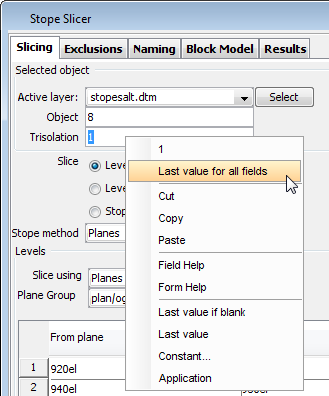
- Right-click in the Trisolation field, and choose Last Value for all Fields.
- For the Stope method, select
Start, plane, length and target. - Fill in the Stopes section of the form as follows.
- Select the Block Model tab.
- Fill in the form as follows.
- Select the Results tab, and, in Report Filename, type ex2.
- Click Apply.
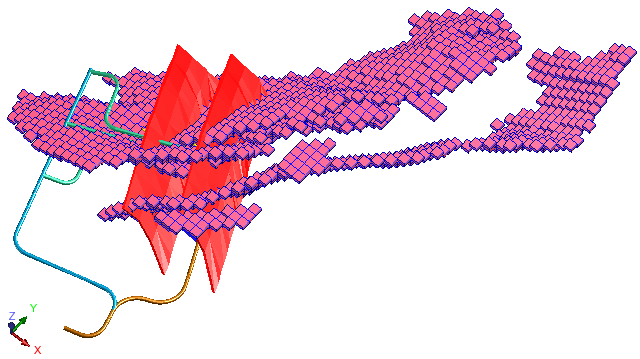
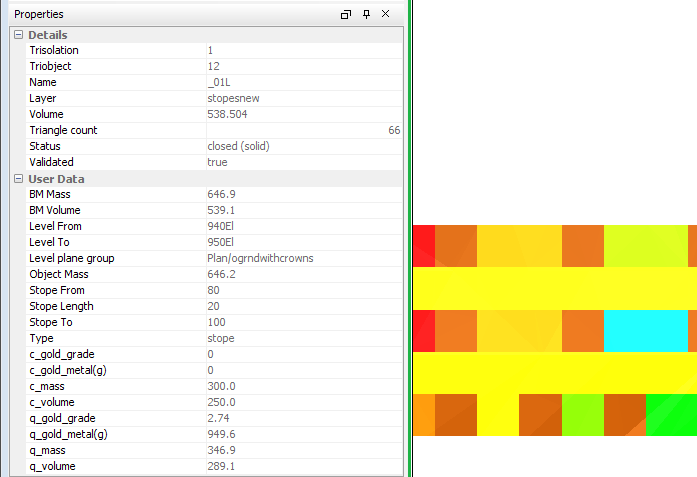
- Select a trisolation to see properties for the slice, including more detailed information, such as gold grade and contained metal.
- Open ex2.csv.
In this data set, the solids have been placed in the same location as this block model. The values of each of the attributes in the block model have not been modified. Therefore the grade values are unrealistic. However, the data is sufficient to demonstrate how the STOPE SLICER function works.
 Note: This step is effective only if you have just completed Task: Define exclusions in stope slicing.
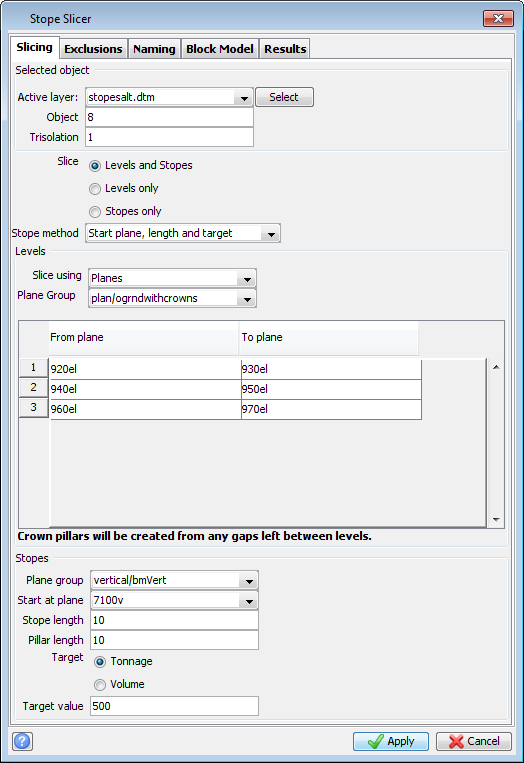
You have specified that STOPE SLICER will try to create stopes that are 10 units in width, but that if the tonnage (volume * density) of any stope is less than 500, that stope is increased in width by another 10 units. The new stope tonnage is then calculated and if it still does not meet the target of 500 tonnes the width is increased by another 10 units. This process repeats until every stope meets the target of 500 tonnes.
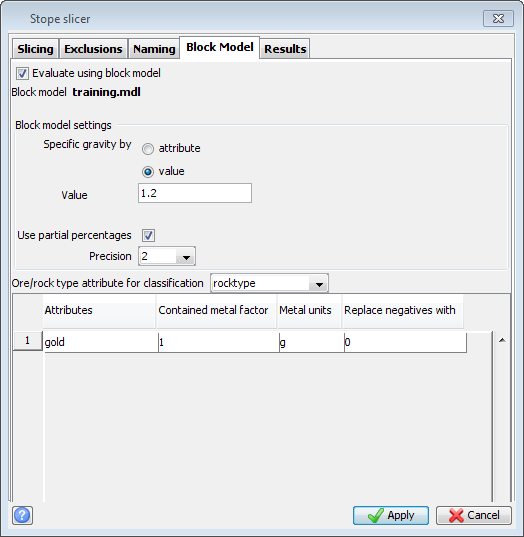
You have specified that the density of each block in the block model is 1.2. Blocks that are partially inside the solid are sub-blocked into 8, and those blocks are divided into 8 again. Those blocks and sub-blocks whose centroids are within the solid, are included in the stope slicing report. The report will show gold grade, ore/rock type, and contained metal for gold.
 Tip: Alternatively, you could use the
 sg attribute in the block model instead of a constant density value.
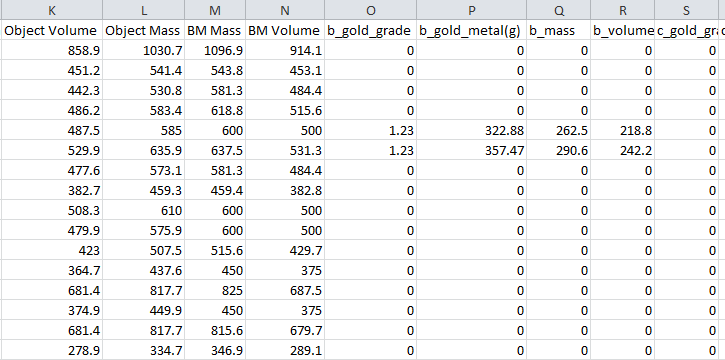
For each stope, pillar, and crown pillar, the report shows gold grade and mass by rock type. There are two rock types in the block model: o and r.