


Validating solids
Task: Validate solids
- Click Reset graphics
 .
. - Open mod10.dtm in Graphics.
- Choose Solids > Validation > Validate object/trisolation.
- Enter the information as shown, and click Apply.
- Open valid1.not.
- Close valid1.not.
This is a solid model that contains objects 1 and 2.
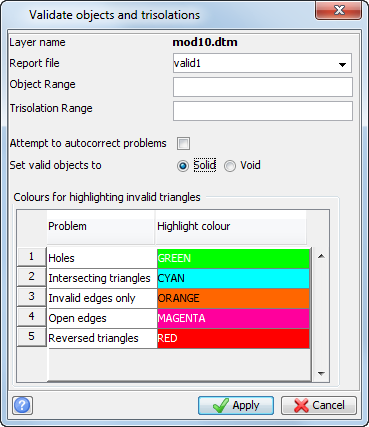
 Note: Leaving the object number blank means that all objects, in this case object 1 and object 2, are validated.
The validation report is displayed.

 Tip: You can also validate your solid using the solids repair functions (Solids > Validation > Solids repair).
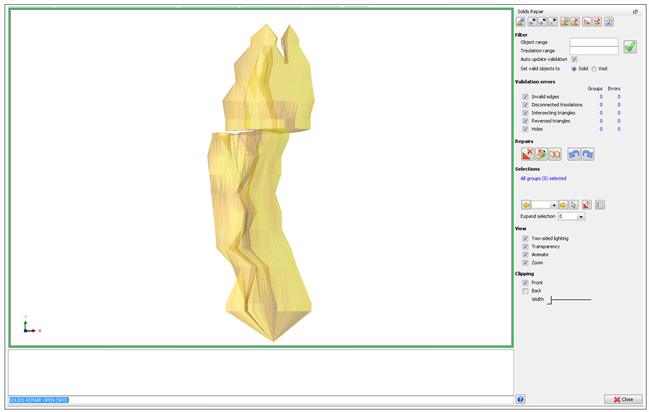
The Solids Repair panel is displayed. The green check mark  at the top of the panel means that the solid is valid.