


Using the triangulation algorithm
Task: Use the triangulation algorithm
- Click Reset graphics
 .
. - Open bifurc2.str in Graphics.
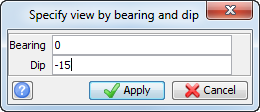
- Choose View > Data view options > View by bearing & dip.
- Enter the information as shown, and click Apply.
- Choose Display > Strings > With string numbers, and click Apply without making any changes to the form.
- Choose Solids > Triangulate > Triangulation algorithm.
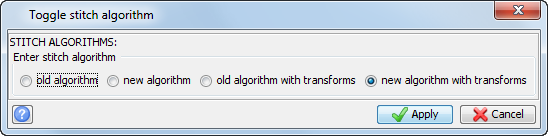
- Ensure that new algorithm with transforms is selected and click Apply.
- Choose Solids > Triangulate > Between segments.
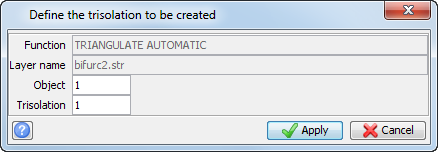
- Enter the information as shown, and click Apply.
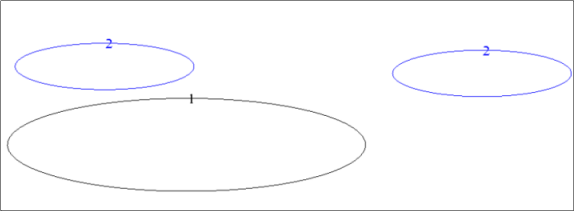
- Click string 1 and then click the rightmost segment of string 2 as shown:
- Press ESC.
- Click Reset graphics .
- Open bifurc2.str in Graphics.
- Choose Solids > Triangulate > Triangulation algorithm.
- Ensure that old algorithm with transforms is selected and click Apply.
- Choose Solids > Triangulate > Between segments.
- Enter the information as shown, and click Apply.
- Click string 1 and then click the rightmost segment of string 2 as shown:
- Press ESC.
- Click Reset graphics .
- Open bifurc2.str in Graphics, and choose a similar view to that used before.
- Choose Solids > Triangulate > Triangulation algorithm.
- Ensure that new algorithm is selected.
- Choose Solids > Triangulate > Between segments.
- Enter the information as shown, and click Apply.
- Click the same segments as in the previous task.
- Click Reset graphics .
- Choose Solids > Triangulate > Triangulation algorithm.
- Enter the information as shown, and click Apply.
The bifurcation example is displayed.
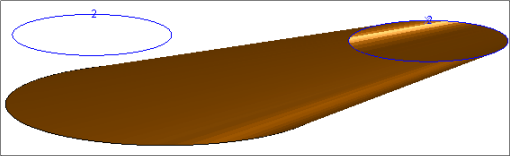
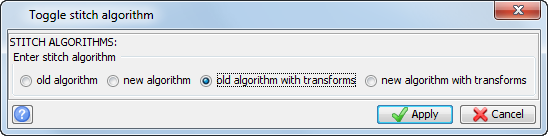
 Note: The old algorithm with transforms also achieved a successful result but took significantly longer. This demonstrates the principal difference between the new and old algorithms (that is, the new one is much faster).
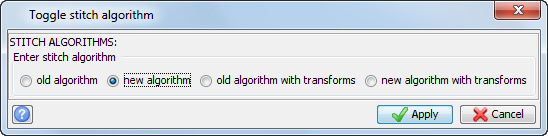
The bifurcation example is displayed.
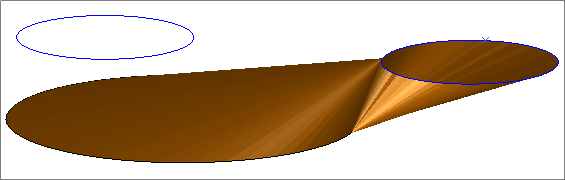
In this case the segments are too far apart geometrically for either the old algorithms or new algorithms (options 0 and 1 respectively) to work and the options with transforms should be chosen in preference.
Finally, restore the triangulation algorithm to its original value.
Note: To see all of the steps performed in this task, run
_16_triangulation_algorithm.tcl. You need to
click Apply on any forms presented.