


Introduction
Overview
To design a simple road with few horizontal and no vertical curves, you can use the string editing tools available in the core module of Surpac. However, if you want to design a typical road that contains many horizontal and some vertical curves, use the functionality available in the road design module.
Requirements
Before you begin this tutorial, you must have:
- a basic understanding of Surpac string files and editing tools
- Surpac installed on your computer
- the data set accompanying this tutorial
It is recommended that you complete the Introduction tutorial prior to working through the Road Design tutorial.
Workflow
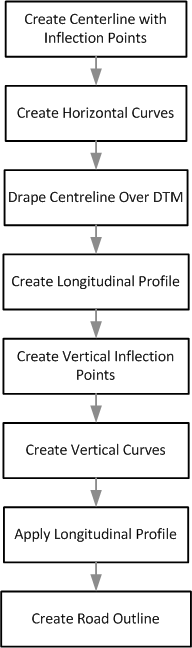
 Note: This workflow demonstrates the steps in this tutorial. There are other ways to achieve a result.