


Setting up DraftSight
You installed DraftSight when you installed Surpac. If you need to uninstall Draftsight, you can do so using the Control Panel.
 Note: When you install DraftSight you are prompted to install a stand-alone licence or a network licence. Choose stand-alone licence.
Setting Surpac to use DraftSight as the default plotting editor
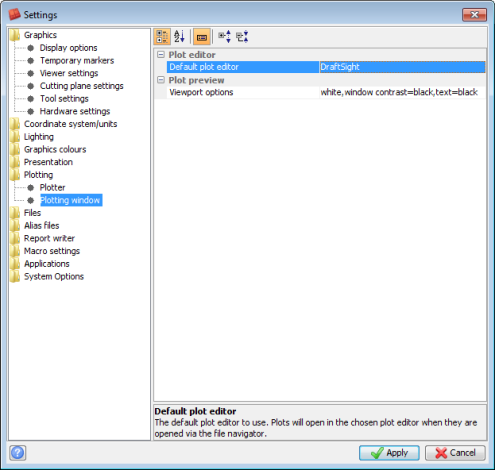
In Default Preferences you can set the plotting application that Surpac will use by default when you open a .dwf file or use Autoplot.
- In Surpac, choose Customise > Default Preferences.
- In the list on the left of the Settings form, select Plotting > Plotting Window.
- If Default plot editor is set to Plotting window, set it to DraftSight, and click Apply.
Note: You do not need to restart Surpac for the change of plot editor to take effect.