


Setting up for this tutorial
Setting the work directory
A work directory is the default directory for saving Surpac files. Files used in this tutorial are stored in the folder <shared_files>\demo_data\tutorials\plotting.
Where <shared_files> is the directory in which the Surpac shared files were installed.
In Windows 7, and Windows 8, the default path is
C: \Users\Public\GEOVIA\Surpac\66\demo_data\tutorials\plotting.
Task: Set the work directory
- In the Surpac Navigator, right-click the plotting folder.
- Select Set as work directory.
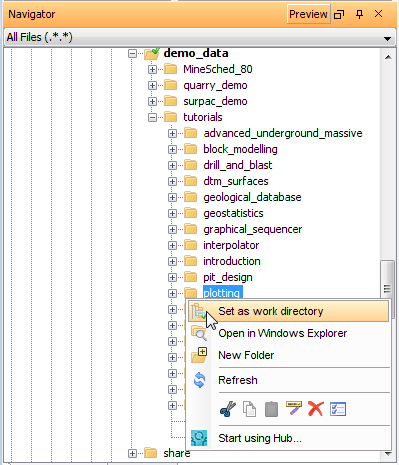
The name of the work directory is displayed in the title bar of the Surpac window.