


File-based plotting
Overview
File-based plotting allows you to produce more complex plots.
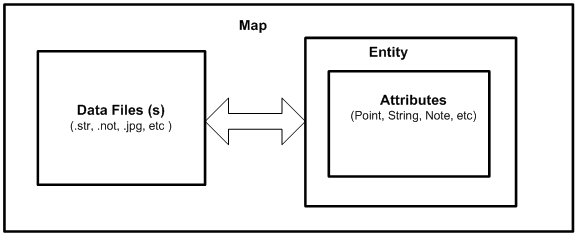
For file-based plotting, you must specify where to find the data, what to plot, and also how to plot the data. Before you produce a plot in Surpac you must define a map. The map definition specifies what is to be plotted.
Maps consist of entities, which refer to the set of instructions that instructs Surpac on how to plot the data. Entity definitions consist of smaller groups of instructions called attributes.
An attribute provides information, such as:
- what is to be plotted (for example, a line, symbol, text, and point number)
- which fields of a string file to plot
- where to plot data
- how to plot text (for example, height and angle)
- which pen to use
Workflow
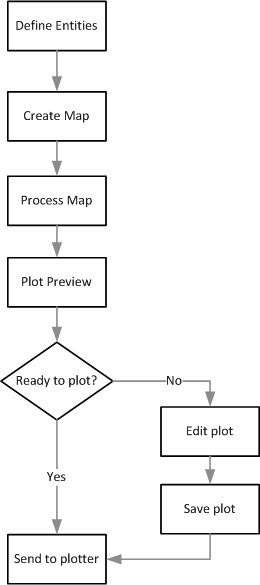
 Note: This workflow demonstrates the steps in this tutorial. There are other ways to achieve a result.