


Intersect pit design with surface topography
Task: Intersect pit design and topography
You will now expand the pit design past the surface topography.
- Click Reset graphics
 .
. - If a block model is open, close it using Block model > Close.
- Open top1.str in Graphics.
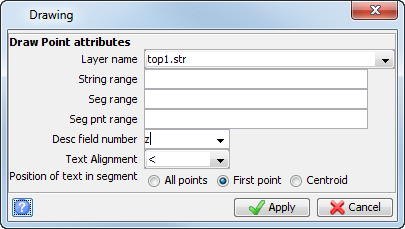
- Select Display > Point > Attributes.
- Enter the information as shown, and click Apply.
- Open pit980.str in Graphics.
- Open pit1050.dtm in Graphics.
- Open top1.dtm in Graphics.
- Open pit_topo_intersection.str in Graphics.
- Click Reset graphics.
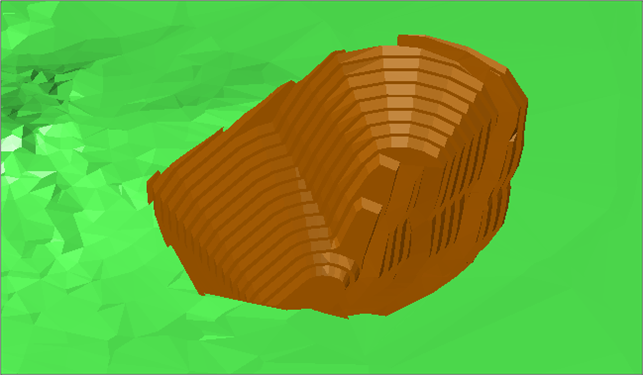
- Open pit_design2.dtm and topo_outside_pit1.dtm in Graphics.
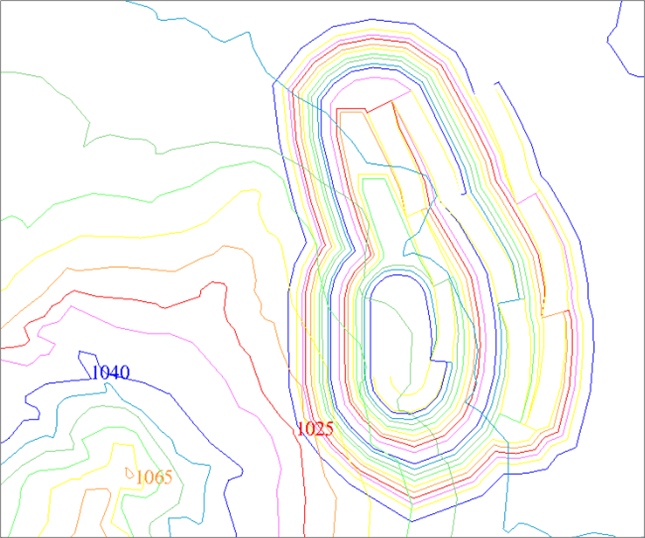
To intersect the design with the surface, you can extend the design above topography.
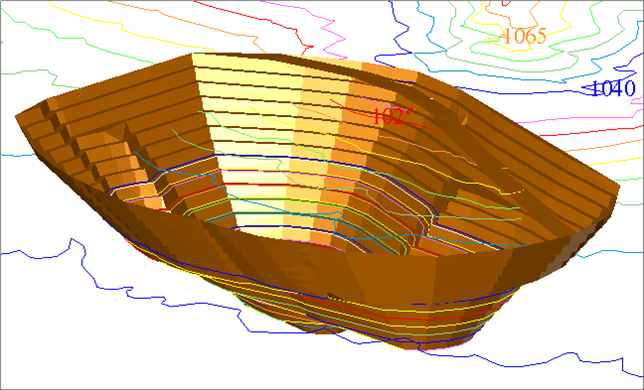
This has been created by using the pit design tools previously described to extend the design from the 980 elevation so that it is above the topography.
The line of intersection between the pit design and the topography was created using Surfaces > Clip or Intersect DTMs > Line of intersection between DTMs.
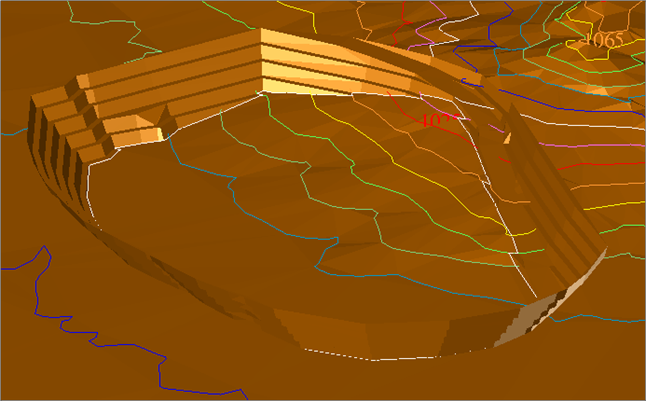
These DTM surfaces were created using Surfaces > DTM file functions > Clip DTM by boundary string.
 Note: To see all of the steps described in this task, run _14_intersect_design_and_topo.tcl. You need to click Apply on any forms presented.