Surface modelling concepts
Strings and DTMs
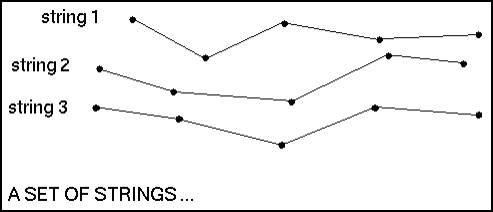
Digital terrain models (DTMs) are created from strings.
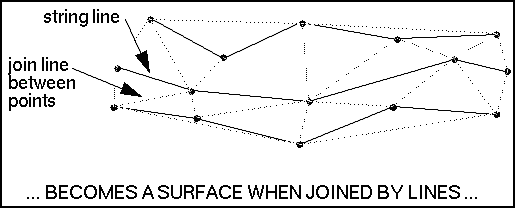
Triangles are created between points on the strings.
The result is a set of non-overlapping triangles.
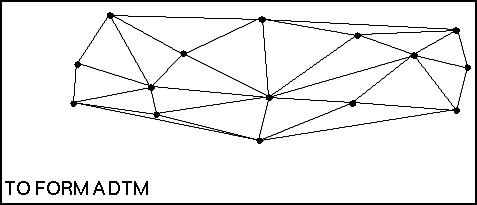
You can use surfaces for such things as 3D visualisation and for calculating volumes. Almost any surface can be modelled as a DTM, including natural topography, lithological contacts, bedrock/overburden contact, or water tables.
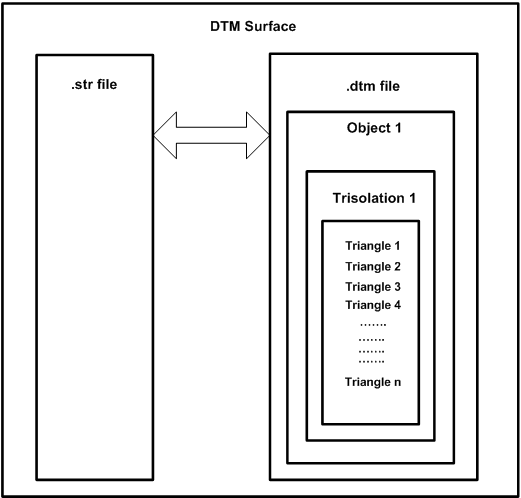
DTMs are made of triangles, with each point of each triangle matched to a point in the original string file. As a result, DTM files are not valid without the original string files. To open a DTM file, you must also have access to the original string file of the same name.
DTMs cannot fold back on themselves. That is, a DTM cannot have multiple Z values for a given X, Y coordinate. It is not possible to model overhanging or vertical surfaces with a DTM surface.
Naming conventions
Surpac assigns numbers to the objects you create by a system similar to that of string and string segment numbers:
- string - object
- segment - trisolation
- point - triangle
When you define an object, you explicitly assign it both an object number and a trisolation number. The object is then always referred to by this object and trisolation number.
The object number can be any number in the range from 1 to 32000 inclusive. The trisolation number can be any positive integer. However, for some functions the object must be named object 1, trisolation 1.
Breaklines and spot heights
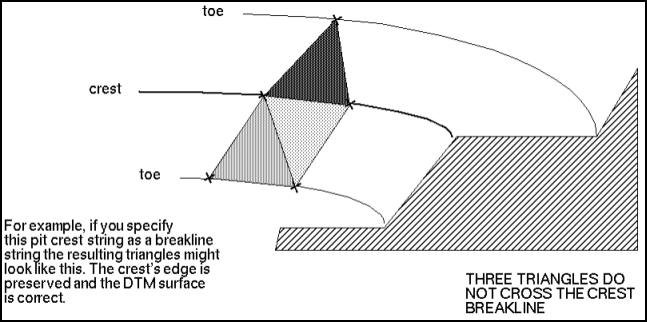
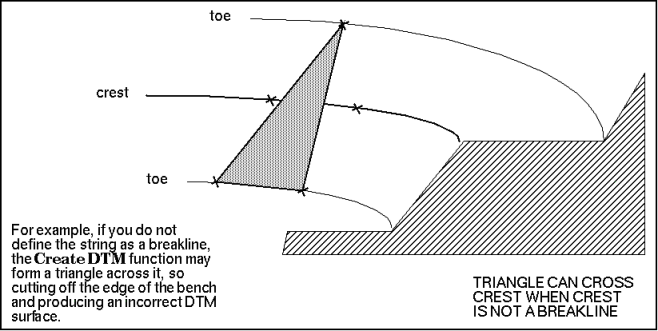
Breakline strings are strings that represent linear physical features that you can see in the real world. For example, the crest of a pit, a fault in a geological model, or a contour in a pit.
Spot height strings contain points that represent non-linear or point features. For example, hill peaks, surface low points, gridded points, and borehole collars. The lines connecting the points in the spot height string in Graphics do not infer a physical line.
Graphical vs file-based options
A DTM can be created in two ways to best suit the data you wish to model:
- Graphical DTM operations allow you to view your results immediately. However, for large data files, the processing time can be prohibitive.
- The file-based tools allow you to perform DTM operations directly on the file data, saving both memory usage and creation time.
To create a DTM graphically, you would use the Create DTM from Layer function.
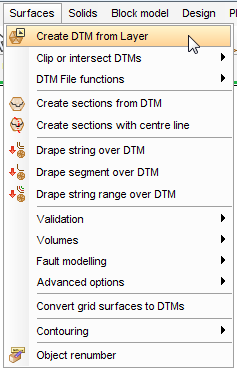
To create a DTM using a file-based method, you would use the Create DTM from string file function.