


Viewing blast design defaults
Task: View the blast design defaults
- Choose Blast design > Drill and Blast Settings.
- Click the Charging Defaults tab.
- Click the Rock Classifications tab.
- Click the Firing defaults tab.
- Check that each entry for No. of rows is 1.
- Click Apply.
The Blast design defaults form opens on the Drilling Defaults tab.
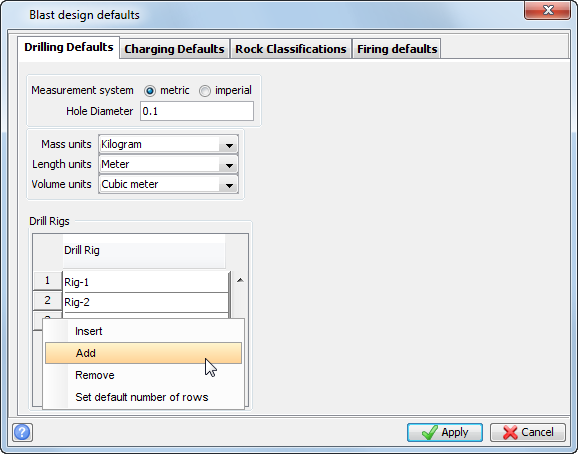
 Note: You can add a row to the Drill Rigs table by right clicking a row number and selecting Add. You can add the names of any drill rigs you have on site to this list. You can then assign the drill rigs to a blast pattern when designing a blast.
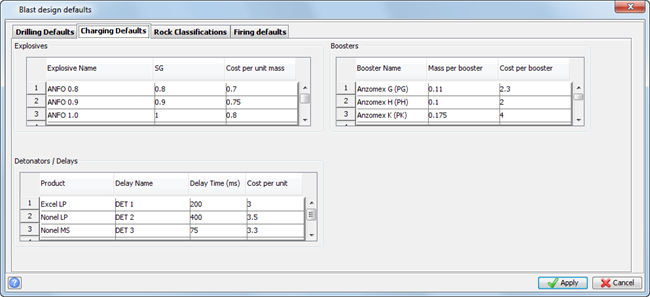
Note: You enter all your explosives product information in this tab. You can then select any of these products when charging the holes in a blast design.
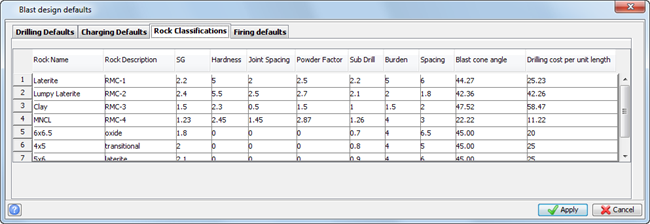
Note: You enter all the Rock Mass Classification (RMC) information in this tab.
This tab contains template details for the three most common firing patterns.
If you have a blast design that is suited to using one of these firing patterns, you can generate a firing sequence using of one of these standard templates. An example of how to generate a firing sequence from a standard template is given later in this tutorial.
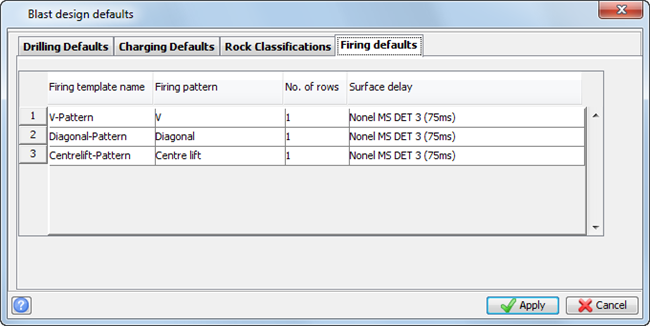
Note: No. of rows is the number of rows that will be connected together to fire on the same time delay.
Task: Modify rock mass classification (RMC) polygons
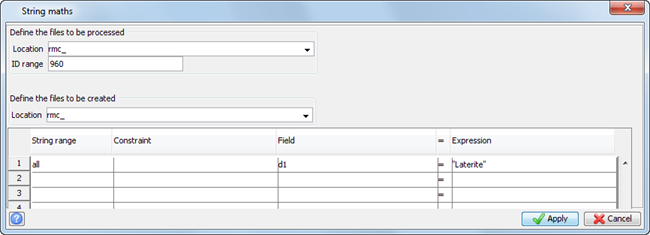
Next, you will use string maths to modify some string polygon files. The files must be modified so that you can use the Modify burden and spacing by polygon option when designing your blast pattern.
- Choose File tools > String maths.
- Enter the information as shown, and click Apply.
- Choose File tools > String maths.
- Enter the information as shown, and then click Apply.
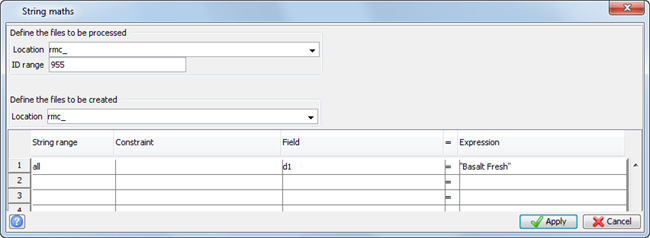
Note: The data entered is case sensitive.
Note: To see all of the steps performed in this chapter, run 01_data_setup.tcl . You need to click Apply on any forms presented.