


Model reblocking
Model reblocking
Task: Perform model reblocking
In Surpac you can create a new model with different block sizes from those in the current model by reblocking.
In this example, you will reblock the model in all three directions.
- Connect to training2.mdl.
- Choose Block model > Simple reblocking.
- Enter the information as shown, and click Apply.
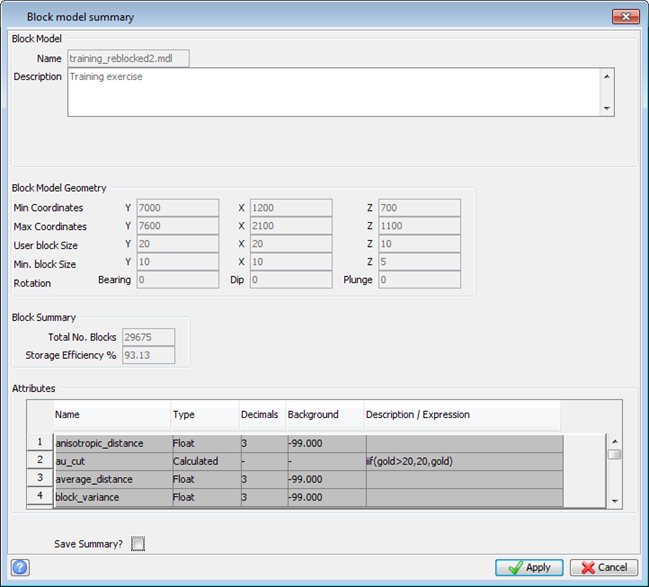
- Choose Block model > Summary.
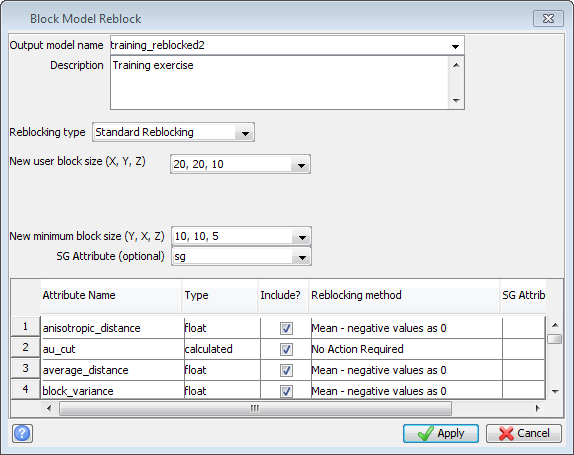
The model training_reblocked2 is created with the specified block size and becomes the active model.
 Note: It is important that you define numeric attributes that should not be averaged during reblocking as calculated attributes. For example, tonnage should be defined as a calculated attribute based on block size and density, with the generic formula tonnage = _xext x _yext x _zext x sg.
The model summary is displayed. The new User block size is 20 x 20 x 10.
Note: To see all of the steps performed in this task, run _09_model_reblocking.tcl. You need to click Apply on any forms presented.