Setting up for this tutorial
Setting the work directory
A work directory is the default directory for saving Surpac files. Files used in this tutorial are stored in the folder <shared_files>\demo_data\tutorials\interpolator.
Where <shared_files> is the directory in which the Surpac shared files were installed.
In Windows 7, and Windows 8, the default path is
C: \Users\Public\GEOVIA\Surpac\66\demo_data\tutorials\interpolator.
Task: Set the work directory
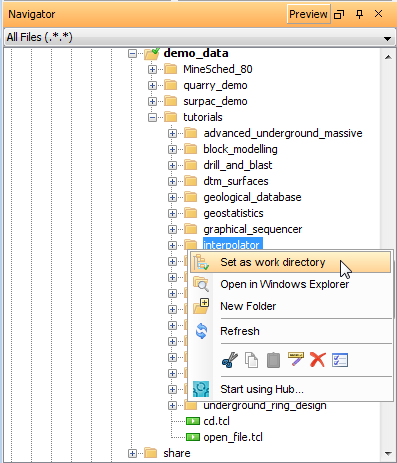
- In the Navigator, right-click the interpolator folder.
- From the shortcut menu, select Set as work directory.
The name of the work directory is displayed in the title bar of the Surpac window.
Displaying the menubar and toolbar
Task: Display the Block Modelling menubar and toolbar
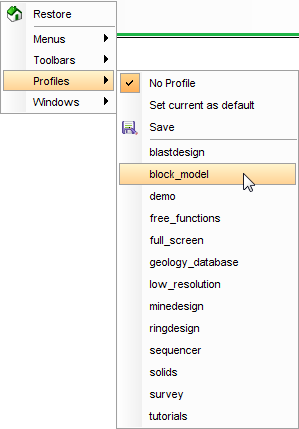
When working with Interpolator, it is helpful to use the block_model profile. This displays the Block Modelling menubar and toolbar.
- Right-click in the blank area next to the menus at the top of the Surpac main window.
- From the shortcut menu, choose Profiles > block_model.