


Convert a TS15 field file to Surpac .sdf format
After you have completed a survey, you must convert the job into a .sdf file so that you can process it in Surpac. This is the reason for loading the surpacSDFv62.FRT file into the Leica. Leica refers to this process as “exporting”.
- On the TS15, select Jobs & Data.
- Select Export and copy data.
- Select Export custom data.
- Select the device and folder to export to, the job to export, and select surpacSDFv62.frt as the format file.
- Click OK.
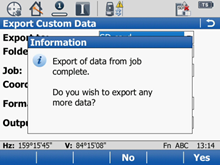
- To export another job, click Yes; to exit, click No.
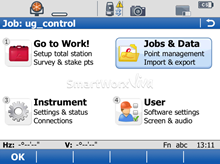
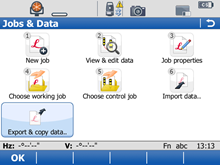
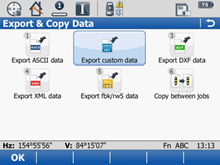
 Note: There are different versions of firmware that are available for the TS15. On some firmware, exporting custom data does not exist. If this is the case choose the Export ASCII data option.
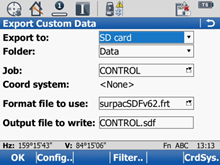
A statement confirming that the export is complete is displayed.
The files are uploaded.