


Generate automatic firing sequence
You can use this function to assign a delay to each blast hole.
 Note: After you have generated the firing sequence, if you want to store the detonator name and delay permanently, use the function BLAST LOAD TO DATABASE.
The delay name, and the delay in milliseconds, are stored in the collar table of the database. You can then reproduce the firing sequence from the database whenever required.
Note: After you have generated the firing sequence, if you want to store the detonator name and delay permanently, use the function BLAST LOAD TO DATABASE.
The delay name, and the delay in milliseconds, are stored in the collar table of the database. You can then reproduce the firing sequence from the database whenever required.
To run this function: Choose Design > Blast design > Firing sequence > Generate automatic firing sequence, or...
Fields on the Generate firing sequence form
| Field | Description |
|---|---|
| Firing template name | When you select a template name, you set the Firing pattern, Number of rows, and Surface delay for that firing template. Firing templates are defined in drill and blast defaults. |
| Snap to firing line tolerance | All holes, whose perpendicular offset from the digitised sequence line are less than this value, are placed on the same firing row. That is, if you generate a firing sequence and find that some holes are not on the firing line you want, increase the Snap to firing line tolerance and regenerate the firing sequence. |
| Output layer name | The strings, that represent the firing sequence, are created in this layer. Surpac creates a different string for each row. |
| Firing pattern |
The available firing patterns are V-Pattern, Diagonal-Pattern, and Centrelift-Pattern.
|
| Number of rows | The number of rows to which a single surface delay applies. |
| Surface delay | The detonator that applies surface delay between rows (or between two sets of rows when Number of rows is greater than one). |
| Use blast holes from |
|
| Name blast hole layer | The name of a new layer to hold the blast holes. |
| Location | The location of the string file that contains the existing blast pattern. |
| ID | The ID number of the string file that contains the existing blast pattern. |
| Pattern identifier | The blast pattern for which you are generating a firing sequence. This field is visible only Use blast holes from is set to Database. |
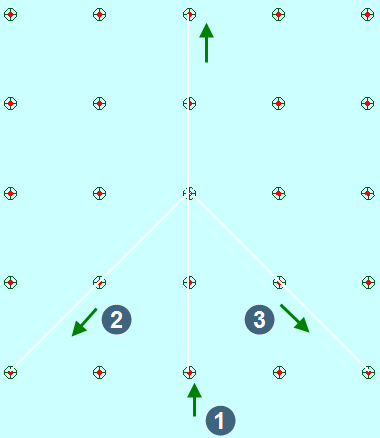
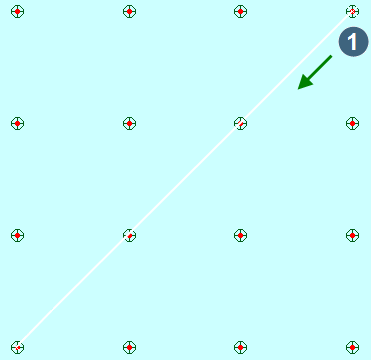
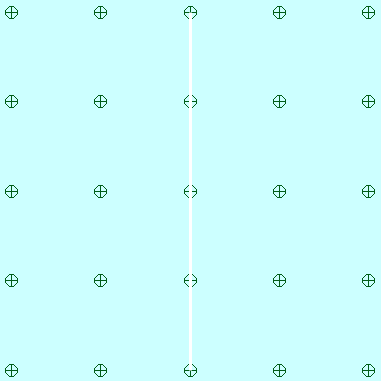
When you click Apply in the Generate firing sequence form, you are prompted to drag a line (for Diagonal or Centre lift patterns) or three lines ( for a V pattern) to allow Surpac to generate a firing sequence.
V-Pattern
|
1. initiation point 2. left side when viewing along apex line 3. right side when viewing along apex line |
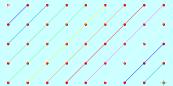
Diagonal-Pattern:
The initiation points are always to the right of the line, from the start point to the end point of the diagonal line.
|
1. initiation point
|
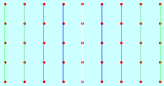
Centrelift-pattern:
All the blast holes on the line you digitise are initiated first.
Output
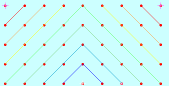
The firing sequence is displayed in Graphics and stored as a string in the Output layer name. The detonator type is stored in the D13 field of each point in the string. The delay for the blast hole is stored in the D14 field of each point in the string.
Note: To store the firing sequence permanently, use the function BLAST LOAD TO DATABASE.
The blast holes are also displayed, and stored in the Name blast hole layer.
| V-Pattern | Diagonal-Pattern | Centrelift-Pattern |
|
|
|
 Messages