Delete single hole
You can use this function to delete a single hole from a blast pattern, for example when there are a small number of unwanted blast holes in the pattern.
Prerequisites: A blast pattern is displayed in Graphics.
To run this function: Choose Design > Blast design > Delete > Single hole, or...
- In the Function Chooser, type BLAST DELETE HOLE, and press ENTER.
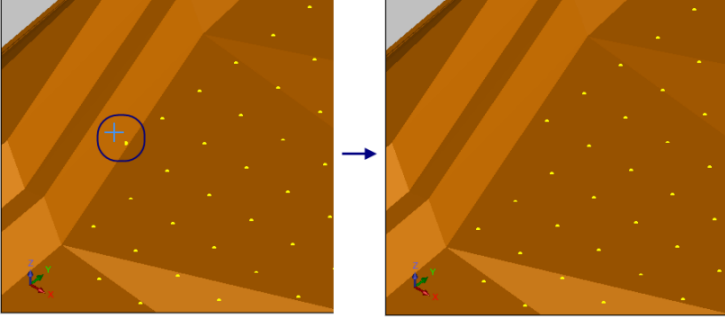
You are prompted to select the blast hole to delete. Press ESC when you have finished selecting blast holes.
Output
When you select a blast hole, it is removed from Graphics.