Blast create offset line by distance
You can use this command to expand a selected segment by an offset distance. It is useful when you want to create blastholes that follow a crest line but with a certain burden from it. In this case you would offset the crest line before using pre-split holes along segment.
Prerequisites: A segment is open in Graphics.
To run this function: Choose Design > Blast design > Blast design > Blast create offset line by distance, or...
Select the segment to be expanded.
Choose the segment you want to expand in Graphics.
Fields on the Create offset line form
| Field | Description |
|---|---|
| Offset | The offset from the selected segment for creating the offset line. The direction of the offset is determined by string direction. You can change it by entering a negative offset value. |
Output
A new segment is created which is offset from the selected segment.
 Tip: This function is particularly useful while designing blast pattern from the toe string.
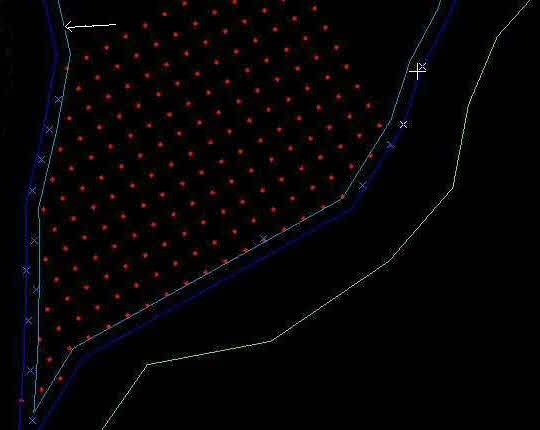
Using this function, you can create an offset line from the toe string, and then from the offset line you can design the pattern using bearing and dip. An arrow points to the offset line in the following image.
Tip: This function is particularly useful while designing blast pattern from the toe string.
Using this function, you can create an offset line from the toe string, and then from the offset line you can design the pattern using bearing and dip. An arrow points to the offset line in the following image.