


Firing animation
The idea behind this function is to animate the blast firing sequence by drawing a marker at each blast hole position using the timing from the delays to simulate the timing of the blast. This function uses the output of the BLAST GENERATE FIRING SEQUENCE and BLAST GENERATE CUSTOMISED FIRING SEQUENCE functions. It can use the blast database also as an input for carrying out firing animation. The surface delay information is stored in the D14 field of first point of each blast hole segment with the down-the-hole or in-hole delay information stored in the D3 field of subsequent points of each blast hole segment.
To run this function: Choose Design > Blast design > Firing sequence > Firing animation, or...
There are two components of the firing animation :
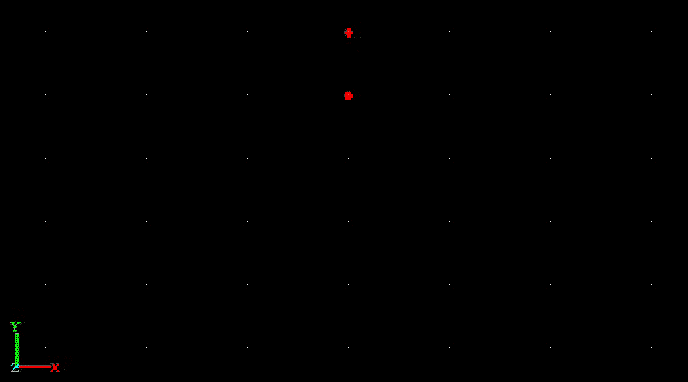
- To show the shock wave position before detonation -> This is shown as a filled red circle for each hole on the viewport.
- To show the actual detonation of the explosive column -> This is shown as a red asterisk for each hole on the viewport.
The size of the asterisk is more than that of the filled circle. So when the asterisk gets drawn after drawing the filled circle, it appears as if the hole is exploding. Below is the form snap for this function.
Blast firing animation form
Use blast holes from
Define how the blast holes for animating the firing sequence are to be selected.
Valid choices are :
String file
If String file is selected, you will be prompted to enter the name of an existing string file that contains a previously designed blast pattern. The animation will be done on the blast holes from the selected string file.
Current layer
If you select Current layer, then the animation will be done on the blast holes from the current layer.
Database
If you select Database, you will be prompted to select one of the pattern identifiers from the database. The blast holes in the selected pattern from the database will be extracted and displayed on the graphics viewport. The task of animation will be carried out using these blast holes. Note the database must be open first for this option to be selectable.
Input layer name
Enter a name for the new layer. The blast holes from the string file or blast database will be loaded into this layer.
Animation speed factor
This is a simple multiplier to make the timing more visually evident because the delay times are usually expressed in milliseconds. Larger values for the animation speed factor cause slower animations.
Rescale display
It rescales the display, when ticked.
A typical screen capture of blast firing animation
It is possible to step through the blast firing animation using a slider available on the Blast Design toolbar. The blast firing row number and the delay are displayed on the left and right side of the slider object respectively, when the slider is moved.