


New Downhole Variogram
Overview
Function: VG COMPOSITE DOWNHOLE
You can use this function to create a downhole variogram directly from the database. This is the same as the File > New > Database variogram function, with the exception that distances between samples are measured down each drillhole. This function composites the selected drillholes as described in Composite Downhole.
Procedure
- Choose File > New > Downhole variogram.
You will see the  Composite Downhole form.
Composite Downhole form.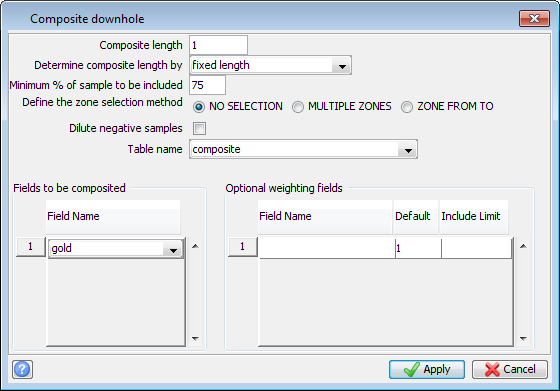
- Fill in the fields on the Composite Downhole form.
- Click Apply.
You will see the Define Query Constraints form.
Define Query Constraints form.- Fill in the fields on the Define Query Constraints form.
- Click Apply.
You will see the Basic tab on the Downhole Variogram form.
Basic tab on the Downhole Variogram form.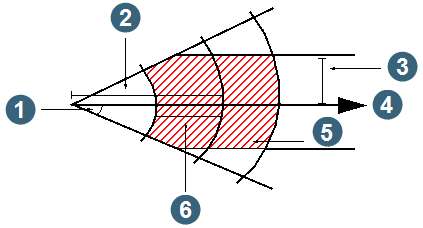
- Fill in the fields on the Basic tab of the Downhole Variogram form.
- Click the Advanced tab.
You will see the Advanced tab of the Downhole Variogram form.
Advanced tab of the Downhole Variogram form.- Fill in the fields on the Advanced tab of the Downhole Variogram form.
- Click Apply.
On completion of the variogram creation, the Experimental Variogram report is displayed on the screen.