


About dimensions for reblocking
The reblocking process uses the dimensions in the Reblocking Dimensions tab which consists of two sections:
- Source Block Model
- Target Block Model
 Reblocking Dimensions tab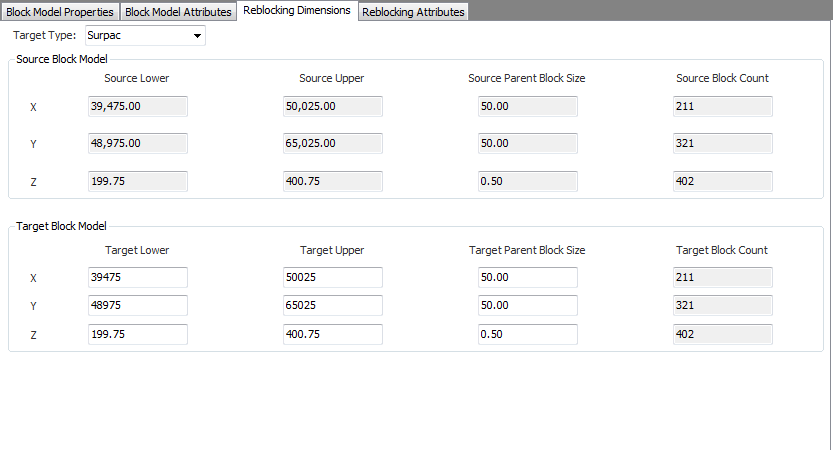
For some formats of block models, this tab has a third section with additional details that are specific to the source block model.
Source Block Model
The information in this section is read-only. There are four columns for the X, Y, and Z values:
- Source Lower
- Source Upper
- Source Block Size
- Source Block Count
These columns show properties of the source block model and may duplicate information displayed in the Block Model Properties tab.
Target Block Model
You choose the dimensions of the target reblocked block model in this section. There are four columns for the X, Y, and Z values:
- Target Lower
- Target Upper
- Target Parent Block Size
- Target Block Count
When you change the values in one of the columns, the values in the other columns update accordingly. For example, if you change a value in the Target Block Count, the Target Block Size is recalculated and updated.